
Cloudflare Workers alternatives
Has your project outgrown Cloudflare Workers or Pages?
A fixed price instead of paying per request
Node.js, PHP, PostgreSQL and Redis on shared hosting or a VPS
Payment after project launch, money-back guarantee
Why are developers looking for an alternative to Workers?
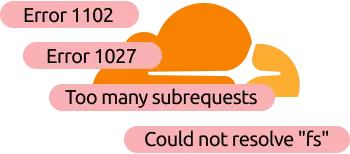
Send us your Cloudflare error
Please send us the error code or describe which limit is preventing you from continuing. We’ll find you a hosting plan or VPS and advise you on the migration — payment can be made after testing.
How do we solve developers’ problems?
01 / RESOURCES
Worker hits CPU or memory limits
Workers are designed for short, light queries. As soon as PDF generation, image processing or server-side rendering comes into play, the request is terminated with error 1102. And the 128 MB memory limit is not lifted even on a paid plan.
HyperHost: Your code gets server resources, not a per-request quota. For most websites, hosting is sufficient, whilst for heavy computing tasks there’s a VPS with dedicated memory and a processor.
02 / Runtime
npm and background processes do not work
Workers are not a full-fledged Node.js environment. There is no file system, so libraries for images, encryption or browser automation have to be replaced or run separately. Background tasks and persistent connections also only work via workarounds.
HyperHost: Hosting with cPanel includes standard Node.js and Python, so a compatible application can be migrated as-is. If you need Docker, system libraries or persistent processes, a VPS with full access is the right choice.
03 / DATABASE
Architecture depends on KV and D1
Cloudflare storage has strict limitations. A D1 database cannot be expanded beyond 10 GB, whilst KV cannot handle frequent writes to the same key. Operations are charged separately, so the bill grows alongside the project and is difficult to predict.
HyperHost: Standard MySQL, PostgreSQL and Redis with no artificial caps and no per-operation charges. Data from D1 and KV is migrated directly, and we’ll assess the scope of code changes before launch.
04 / PAGES
Pages does not run PHP or WordPress
Pages is designed for static websites. The PHP backend does not work there, and WordPress can only be hosted as a static copy, without an admin panel, forms or dynamic pages.
HyperHost: Hosting with PHP, MySQL, email and free SSL, where WordPress works fully and can be set up in 2 clicks. We’ll migrate your site for free, and you only pay once everything is up and running.
What to choose instead of Cloudflare – hosting or VPS?
Don’t overpay for unnecessary features!
Not every worker needs a VDS.
HyperHost supports Node.js and Python even on virtual hosting.
- Node.js, Python, PHP and MySQL
- Unlimited requests and queries
- Daily backup
- Root access, Docker, Redis, SQL
- Cron jobs, queues, WebSocket
- Free administration
- CDN for static content
- WAF filters and SSL
- Set-up assistance

You can do without Cloudflare — as a project shield
Cloudflare, hosting or VPS: what you get
| Cloudflare | Hosting from HyperHost | VPS from HyperHost | |
|---|---|---|---|
| Processor time |
10 ms per request for Free, 30 s by default for Paid |
Unlimited in milliseconds, 100–200% of a core per account |
1–10 cores, no limits per request |
| Memory |
128 MB per isolate — same for Free and Paid |
256 MB – 1 GB per script, up to 4 GB per account |
1–10 GB RAM for your processes |
| Requests |
100,000 per day on Free, after which Error 1027 |
No request limit |
No query limit |
| Files |
No file system. Pages: 20,000 files, up to 25 MB each |
NVMe 1–25 GB, 150,000 – 750,000 files |
NVMe 10–200 GB, full root access |
| Databases |
D1: 500 MB on Free, 10 GB on Paid. KV: 1 write per second per key |
MySQL up to 3 GB, PostgreSQL |
PostgreSQL, MySQL, Redis — full disk access |
| Languages and packages |
JavaScript | WASM; native npm modules do not work |
PHP 5.2–8.x; Node.js and Python on cPanel plans |
Any language and packages |
| Applications |
Cannot be run; static export only |
PHP, MySQL, LiteSpeed (cPanel), WordPress with admin panel |
Any configuration |
| Docker |
Not available |
Not available |
Available, Docker — available from VPS |
| WebSocket and background tasks |
Via paid Durable Objects; cron on Free — 10 ms CPU |
Scheduled cron, no persistent processes |
Persistent processes, queues, WebSocket, cron |
| Location |
Global edge network, code close to the user |
One data centre to choose from; static content may be served by the Cloudflare CDN |
One data centre to choose from; static content may be served by the Cloudflare CDN |
| Administration |
The platform manages everything, but also imposes restrictions |
Not required: we manage the server |
Free 24/7 administration |
| Free transfer |
— |
Yes, payment only after the transfer |
Yes, payment only after migration |
| Payment model |
$0 on Free; Paid — from $5 plus charges for requests, CPU and storage |
Fixed fee, from $1.68 per month |
Fixed fee, from $2.92 per month; with Docker — from $5.75 |
| Suitable for |
Lightweight functions, static content, global traffic spikes |
Websites built with Pages, WordPress, PHP, simple Node.js |
APIs and backends using Workers, Docker, Redis, heavy-duty tasks |
|
|
|
|

Four steps — and you’re on your own server
Frequently Asked Questions
See answers to the most frequently asked questions about our services
What is the best alternative to Cloudflare Workers and Pages?
Traditional web hosting or a VPS can be a suitable alternative to Cloudflare Workers and Pages. HyperHost offers shared hosting with Node.js, Python, PHP, and database support, as well as VPS/VDS servers for applications requiring Docker, root access, or custom server configurations. You can also keep Cloudflare for DNS, CDN, and WAF protection.
Can I migrate Cloudflare Workers to shared hosting?
Yes, provided your application is compatible with a traditional hosting environment. HyperHost shared hosting with cPanel supports Node.js and Python, making it suitable for many lightweight applications. Projects using Cloudflare D1, KV, Durable Objects, or Workers-specific APIs may require code modifications before migration.
How can I fix Cloudflare Workers Error 1102?
Cloudflare Error 1102 — Worker exceeded resource limits occurs when a Worker exceeds its CPU time or memory limits. Workers have a 128 MB memory limit per isolate, while the Free plan allows 10 ms of CPU time per invocation. If code optimization does not resolve the issue, consider migrating to a HyperHost VPS/VDS with resources suited to your application's requirements.
Is VPS hosting cheaper than Cloudflare Workers?
Cloudflare Workers can be more cost-effective only for small applications with low CPU usage. However, applications with intensive processing or frequent paid KV, D1, and other service operations may incur higher costs. HyperHost VPS/VDS hosting offers fixed base pricing and defined server resources. Actual savings depend on workload, performance requirements, additional services, and management costs.
Does HyperHost support Node.js and Python on shared hosting?
Yes. HyperHost shared hosting with cPanel supports Node.js, Python, PHP, databases, and Git. Compatible web applications can run without requiring a dedicated VPS. For Docker, custom system services, and full operating system control, consider HyperHost VPS/VDS.
Can I move my website from Cloudflare Pages to traditional web hosting?
Yes. HTML, CSS, and JavaScript websites hosted on Cloudflare Pages can be moved to HyperHost web hosting. Traditional hosting also supports PHP, MySQL, WordPress, and other content management systems. This makes it a practical option for websites that need dynamic functionality beyond static hosting.
Can I keep Cloudflare WAF and CDN after migrating to HyperHost?
Yes. You can continue using Cloudflare DNS, CDN, reverse proxy, and the WAF features available on your Cloudflare plan while hosting your application on HyperHost shared hosting or a VPS/VDS server. Cloudflare can remain the public-facing protection and delivery layer, while HyperHost handles server-side processing.
How much does it cost to migrate from Cloudflare to HyperHost?
Migration costs depend on your application's architecture. HyperHost provides free website migration for standard compatible websites under the service conditions. Applications relying on Cloudflare Workers APIs, D1, KV, or other platform-specific services may require additional development. Our team can help assess compatibility, recommend a hosting plan, and evaluate the migration requirements.